Answer a Customer Quality Claim With a Troubleshooting Task
A chemical supplier can answer a customer quality claim in Lubinpla by saving it as a work log and running a Troubleshooting task. AI Chat reads the line's records, and the task works through containment, cause and action and writes the report. A person approves the report before it is filed and shared with the customer.
The answer to a customer quality claim has to be pieced together from records in different hands: line conditions in old visit notes, lot details in shipping records, the CoA in the lab's files and photos in email.
In a quality claim, an action picked before the cause is settled, such as switching the lot or changing the dosage, can hide the real problem until it returns on the same line or another.
Pasting a claim's full history into a general AI tool as one long input has a weak spot: models used information near the start or end of long inputs better than information in the middle (Liu et al., TACL 2024).
Lubinpla works a quality claim through containment, cause and action, judging every possible cause against the line's records, and a person approves the report before the customer reads it in Field Care.
Across the troubleshooting cases in Lubinpla's internal benchmark, the customer had an answer in about 8 days, compared with about 25 days for a general AI agent given the same cases and documents.
What happens today when a customer files a quality claim?
A customer quality claim usually lands as an email with photos and a lot number, and the supplier's answer is assembled by hand from wherever the evidence happens to sit. Picture the quality engineer at a customer's plant writing to a supplier's technical service rep: since the last delivery, the product foams in the line, finished parts come out stained, and the plant has put its own shipments on hold until someone explains why.
The rep starts collecting. The line's operating conditions are in visit notes from an earlier site trip. The lot details are in the shipping records, and the certificate of analysis (CoA) for that lot sits in the quality lab's files. The photos stay in the customer's email. The last time this customer reported foam, someone answered it, but that answer lives in a former colleague's sent mail.
Meanwhile, sales wants an action to offer the customer before anyone has settled the cause. The plant's quality engineer calls for an update, and the rep explains the same partial picture again, first by email and then by phone. When the report finally goes out, it is written from memory and pasted extracts, with no record of which evidence was checked and which was assumed.
Why does a quality claim handled by email take so long to close?
A quality claim handled by email takes long to close because the evidence, the order of the work and the conversation with the customer run in different places. Gathering the line conditions, the lot details and the photos can take days before any analysis starts, because each sits with a different person and in a different system.
The order of the work breaks next. A sound claim response contains the affected product first, then settles the cause, then chooses an action that fits that cause. Under pressure, teams jump straight to the action: switch the lot, adjust the dosage, send a technician. An action chosen before the cause is known can mask the real problem and let it return later, on the same line or another one.
The customer conversation is the third leak. Every update repeats what was already said, and what the customer agreed to on a call is rarely written down. When the claim closes, the reasoning closes with it. If the same symptom comes back, the team starts again from an inbox search instead of from the earlier investigation, its evidence and the action that worked.
Why do general AI tools stall on a customer quality claim?
General AI tools help with a customer quality claim on the first day and stall once the investigation has to rest on the supplier's own records. Paste the customer's email into a general assistant and you get a courteous acknowledgment and a list of common causes of foam and staining in minutes, which is real help when the inbox is full.
The limits appear as the claim runs on. The assistant sees only what someone pastes or exports: the email, a spreadsheet of lot data, a photo. Its conclusions never flow back to the account, so the investigation and the official record drift apart.
Its answers come from general knowledge. A textbook list of foam causes is not this line's concentration history or what changed with the new lot. The context stays narrow too: the chat does not hold the account's earlier claims, visit notes and filed reports, and pasting all of them in has a cost of its own. In tests on long inputs, model performance was often highest when the relevant information came at the beginning or end, and dropped significantly when it sat in the middle (Liu et al., TACL 2024).
In Lubinpla, the claim becomes a work log linked to the account and project, and AI Chat reads the project's condition history, products in use, recent work logs and the documents filed under the account. Pressing Ask on a step's conclusion gets an answer drawn from the records the task actually read.
How do you run a quality claim investigation as a Troubleshooting task?
You run a quality claim investigation as a Troubleshooting task by saving the claim, asking AI Chat what to do first, and handing it to the task once it needs quarantine, a cause verdict or a formal report. The steps follow the in-app Quality Claim Response guide (2026-10-16), whose example is Stanbury, a sample account whose line foamed after a new lot.
Save the claim. Press New conversation and send "/worklog Save the claim email Lee from Stanbury's quality team sent today as a work log". AI Chat reads the email through the Gmail integration; without it, paste the body. Files attached in chat are not saved to the work log, so attach photos in Work Logs. AI Chat links the work log to the account and project and keeps numbers, units, product names and lot numbers exactly as received.
List what to do first. Ask for the line's history and the first actions. Each item cites its records.
Hand it to a task. Open the line on the account's Projects tab, send "/task Write a troubleshooting report for this claim", check that the card shows Troubleshooting, the account and the project, and press Approve.
Follow the steps. Select an unclear sentence and press Ask. When a step shows Answer required, answer on the Questions from the agent card. Questions work as in a product recommendation task.
Approve and share. Accept or reject each Edit suggestion, press Approve and finish, invite the customer's contact from the Contacts tab, and share the report, work log and project.
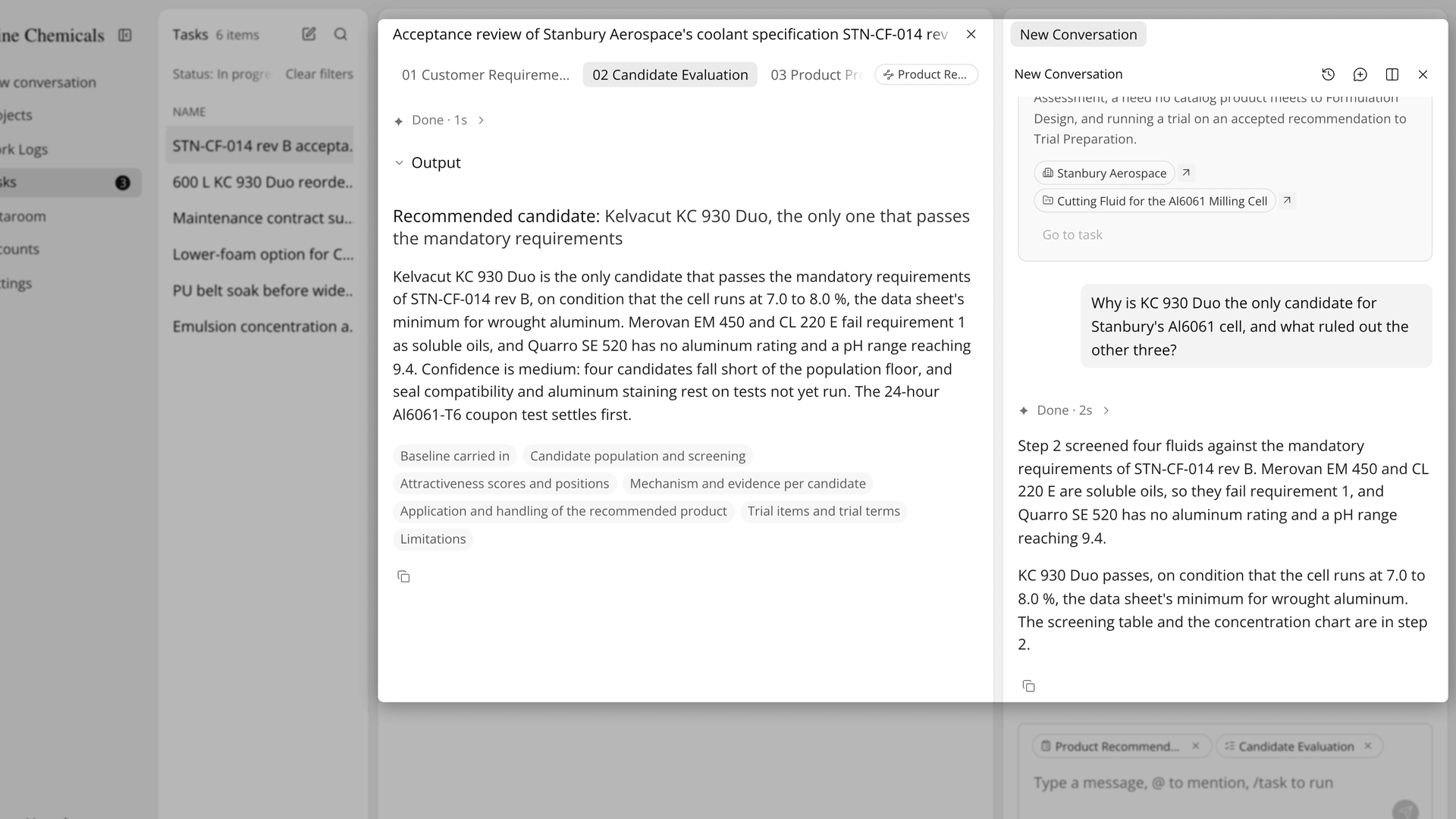
Figure 1. A Cause Investigation conclusion with its verdict and confidence, beside a chat answer that explains the reasoning.
What each of the four steps does:
Step | What it does | What to look at |
|---|---|---|
01 Containment | Separates any safety signal and traces the shipments, stock and customers the lot reached | Affected and unconfirmed targets, and which come first |
02 Cause Investigation | Sets out every possible cause, then judges it confirmed, leading or unresolved | The leading cause, its confidence and the test that would separate the rest |
03 Improvement Planning | Chooses the action that fits the cause and sets success criteria and a deadline | The recommended action and its reasons |
04 Problem Resolution Report Composition | Writes the customer report from the earlier steps | The questions about what to show the customer |
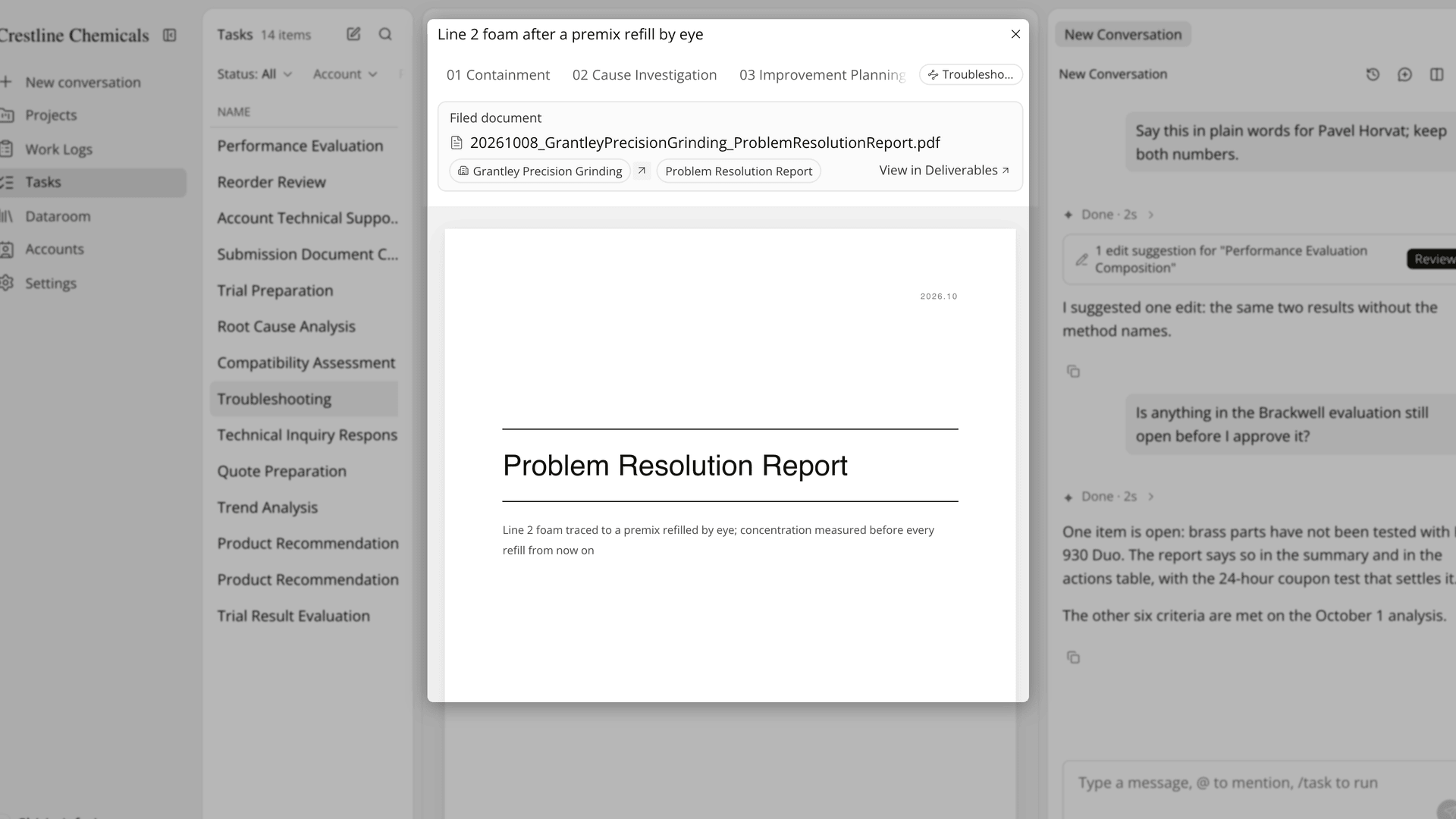
Figure 2. A finished task with the Filed document card above the report cover, shown once a person has approved the report.
How does a Troubleshooting task compare with answering a quality claim by email?
A Troubleshooting task keeps the containment, the cause, the action and the customer's view of them in one record, where an email workflow spreads them across inboxes and phone calls. The table below sets each part of a quality claim against the two ways of handling it:
Work | Email, shared folder and phone | Troubleshooting task |
|---|---|---|
Record the claim | The customer's email, forwarded around | A work log linked to the account and project |
Gather line conditions and lot details | Visit notes, shipping records and photos collected by hand | AI Chat reads the condition history, products in use, work logs and filed documents |
Contain the affected product | Decided on a call | 01 Containment traces the shipments, stock and customers the lot reached |
Settle the cause | The first plausible explanation | Every possible cause set out, then judged confirmed, leading or unresolved |
Choose the action | Offered before the cause is settled | Chosen to fit the cause, with success criteria and a deadline |
Keep the customer informed | Repeated emails and calls | Report, work log and project shared in Field Care |
Check the effect | A reminder in someone's calendar | A field data request whose approved values go into the condition history |
The row that matters most for a technical service lead is the cause. In an email workflow, the first plausible explanation tends to become the answer, and nobody writes down which alternatives were ruled out. In the Troubleshooting task, Cause Investigation lists every possible cause before it reads the evidence and says whether the leading one is confirmed or still open, so the action in step 03 rests on a stated verdict.
The last row closes the loop. After the action, a Request data form asks the customer for values such as concentration, pH and foam height, and the condition values you approve go into the line's condition history for the next claim. Lubinpla's internal benchmark measured 1.1 hours of hands-on time per troubleshooting case, against 5.8 hours for a general agent working the same cases and documents (Lubinpla, 2026).
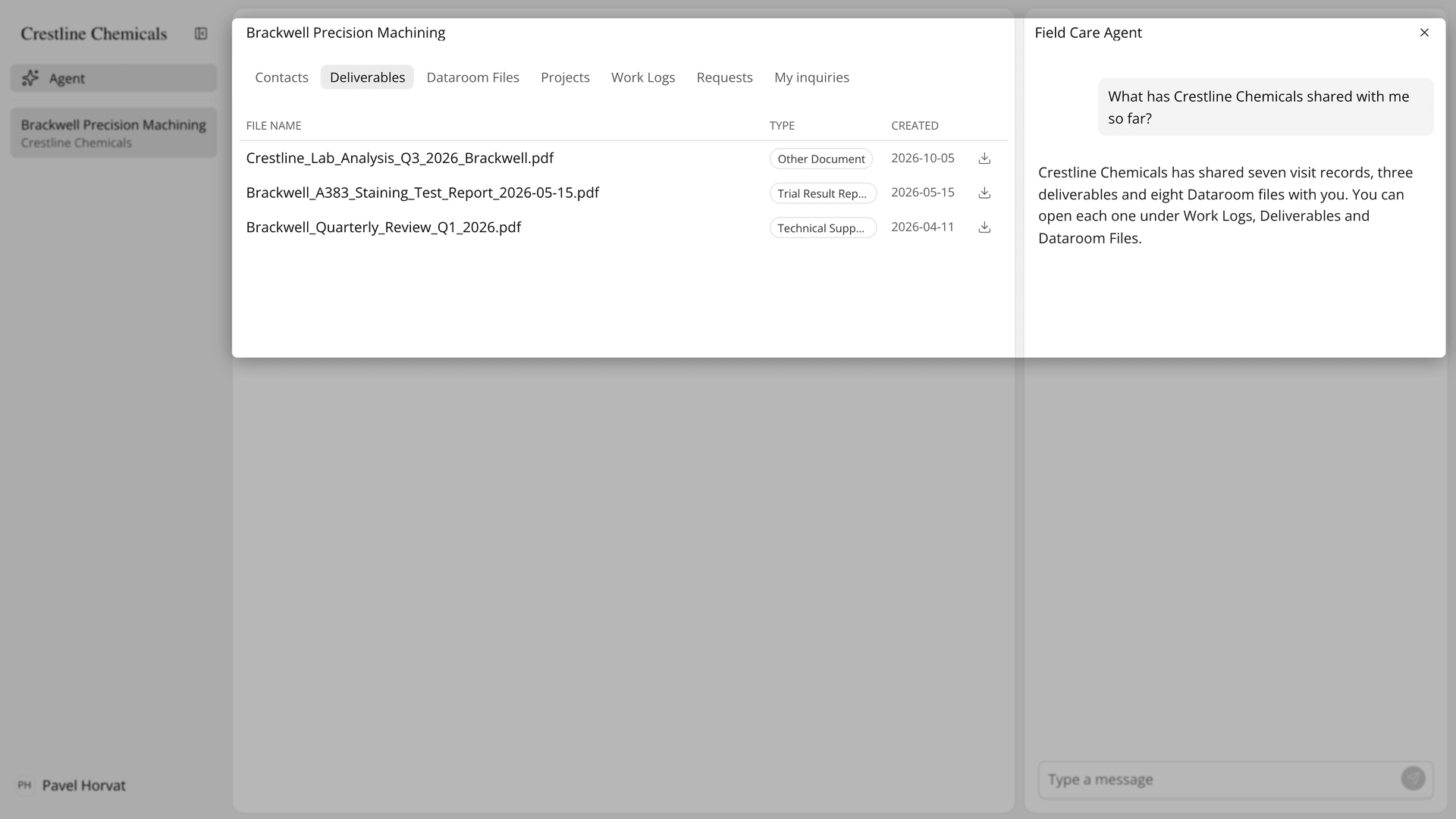
Figure 3. A contact's Client Space with the shared report under Deliverables and the Field Care Agent answering a question about it.
What does a Troubleshooting task not do in a quality claim?
A Troubleshooting task does not handle safety incidents, does not know what your team has not recorded, and does not take responsibility for the verdict. For fire, leaks or worker exposure, follow the site emergency procedure and your safety team's instructions first, and do not wait for the AI.
The task finds records from the conversation summary AI Chat hands it, so name the account, the line and the work log in the request. If the step results show many unconfirmed values, the records are incomplete, so fill in the project's Conditions and Products in use and run the task again. A leading cause is not a confirmed one, and a lab test or a site check may still be needed to separate the remaining causes.
The person who approves owns the report. An approved report cannot be changed, and approval is blocked while edit suggestions are still open. On the customer side, the Field Care Agent sets out facts and forwards anything your team has to decide. A work log can be shared only when it is linked to a project, contacts can change values and products on a shared project, and Re-instruct AI deletes the earlier steps and messages permanently.
The technical service solutions page shows where claims fit among troubleshooting, root cause analysis and site inspection. If you already use Lubinpla, the Tasks guide in the app covers running, answering and approving the steps a claim task uses.