Get Sourced Answers From Your Records and Documents in AI Chat
Lubinpla's AI Chat answers a technical team's questions from its own accounts, projects, work logs, tasks and Dataroom files, and shows its sources. A Thinking line lists each record it looks up, and sentences that rest on a record or web page usually carry a numbered source. A person opens each source and checks it before passing an answer on.
NIST's Generative AI Profile defines confabulation as confidently stated but false content and notes the risk is particularly relevant in domains that require highly contextual or domain expertise (NIST, AI 600-1, 2024).
NIST also warns that generative AI can produce confabulated logic or citations that appear to justify an answer, which may mislead people into trusting the output (NIST, AI 600-1, 2024).
A single customer question about a line problem can need facts from four places at once: the product's TDS, the last site visit report, earlier complaints in the account history, and what changed at the plant.
When asked about a customer, Lubinpla's AI Chat looks things up in the team's accounts, projects, work logs, tasks and Dataroom files, and lists each lookup as it runs.
Sentences in an AI Chat answer that rest on a record or web page usually carry a numbered source, which opens the original record along with AI Chat's note on why it chose it.
What happens today when a customer asks why a line has started foaming?
A customer's question about a line problem usually gets answered from whatever the technical service engineer can piece together while the customer waits. Picture an engineer at a coolant supplier taking a call from the maintenance lead at Stanbury, a sample account. The coolant bath on the plant's aluminum line has been foaming since the plant changed its water treatment, and the lead wants to know whether the coolant is to blame.
The facts the engineer needs sit in four places. The product's concentration range is in the TDS (technical data sheet) on the shared drive. The readings from the last site visit are in a colleague's report, attached to an email. An earlier foaming complaint from the same plant is in the CRM notes. The water treatment change is news to everyone.
So the engineer pastes the TDS text and a few lines of the visit report into a general AI chat and asks what could cause the foam. The answer is fluent. It covers water hardness, contamination and antifoam depletion. It does not say which points came from the pasted sheet and which came from general knowledge, and it knows nothing of the earlier complaint. The engineer cannot tell which sentence is safe to repeat to the customer, so the call ends with a promise to get back.
Why are unsourced AI answers risky for customer technical questions?
Unsourced AI answers are risky for customer technical questions because a fluent answer reads the same whether it rests on the customer's own records or on a guess. The US National Institute of Standards and Technology names this as a risk of generative AI. Its Generative AI Profile defines confabulation as "the production of confidently stated but erroneous or false content" that can mislead or deceive users (NIST, AI 600-1, 2024).
In technical service, the cost of that risk lands on the customer's line. A concentration taken from a general rule instead of the product's TDS, or a cause suggested without the site's own readings, can send a maintenance team after the wrong fix. The supplier's engineer is the one who said it, and the customer remembers.
The check a technical lead needs is simple to state: for each claim, which record or document it came from, and why that source was chosen. Without that trail, the engineer has two poor options. One is to repeat an answer nobody can check. The other is to rebuild the answer by hand from the original records, which gives back most of the time the AI was meant to save.
An answer about a customer's line is only as useful as the trail that lets a person confirm it before it leaves the building.
Why do general AI tools fall short on questions about your own customers?
General AI tools fall short on questions about your own customers because they see only what you hand them and fill the gaps with general knowledge. Credit first: a general AI chat is quick to open, explains a mechanism such as foam stabilization clearly, and drafts a tidy reply from notes you paste in. For a one-off question, that is often enough.
Over months, the limits show. Answers follow general knowledge, not your conditions: the tool knows what is typical for coolants, not the range in your TDS or the steps your team follows on a foaming complaint. Context stops at what was pasted: one thread with a data sheet, without the account history, the earlier work logs or the conclusion a colleague already reached. Nothing flows back: the answer stays in the chat, so the account record never learns that the plant changed its water treatment, and the next engineer starts over. And the setup needs upkeep, with prompts, exported files and connections that someone maintains until they move to another role.
AI Chat works from the other end. It looks things up in the accounts, projects, work logs, tasks and Dataroom files your team keeps, shows each lookup as it runs, and can write a work log straight from the conversation.
How do you ask AI Chat about a customer and check the sources?
You ask AI Chat about a customer by opening a conversation, pointing it at the right records, and reading the sources before you pass anything on.
Press New conversation in the sidebar and ask in your own words, such as why foaming started on Stanbury's aluminum line.
Point it at the right records. The account, project, work log, task or Dataroom file on your screen joins the message box as a chip. For a record that is not on screen, type @ and pick it from groups such as Accounts, Work Logs and Dataroom.
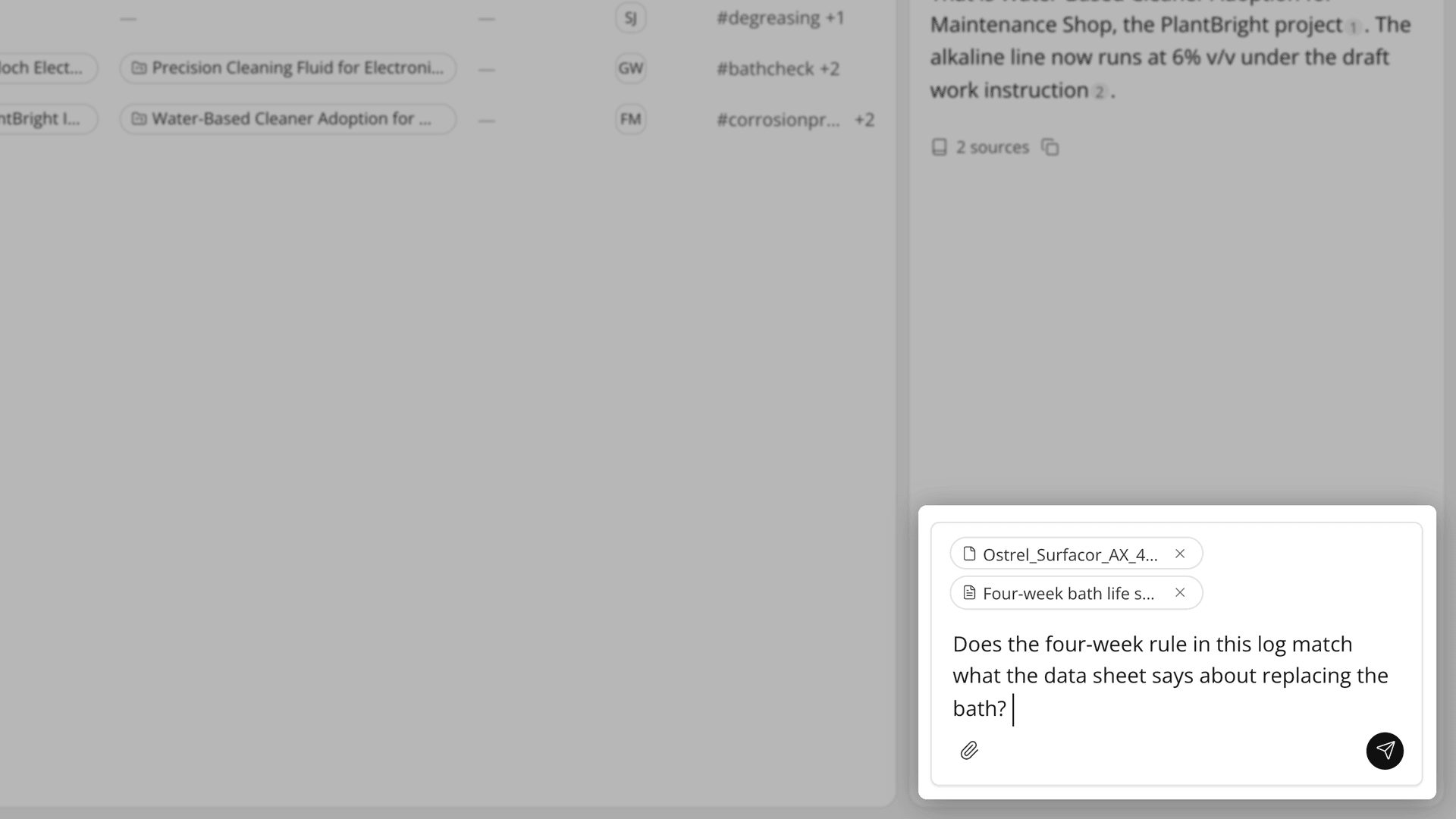
Figure 1. Chips tell AI Chat which records to look at first, so a short question is enough.
Watch the lookups. While AI Chat works, the Thinking line shows each lookup, such as Find work logs or Get project. The trail then folds into one line you can reopen.
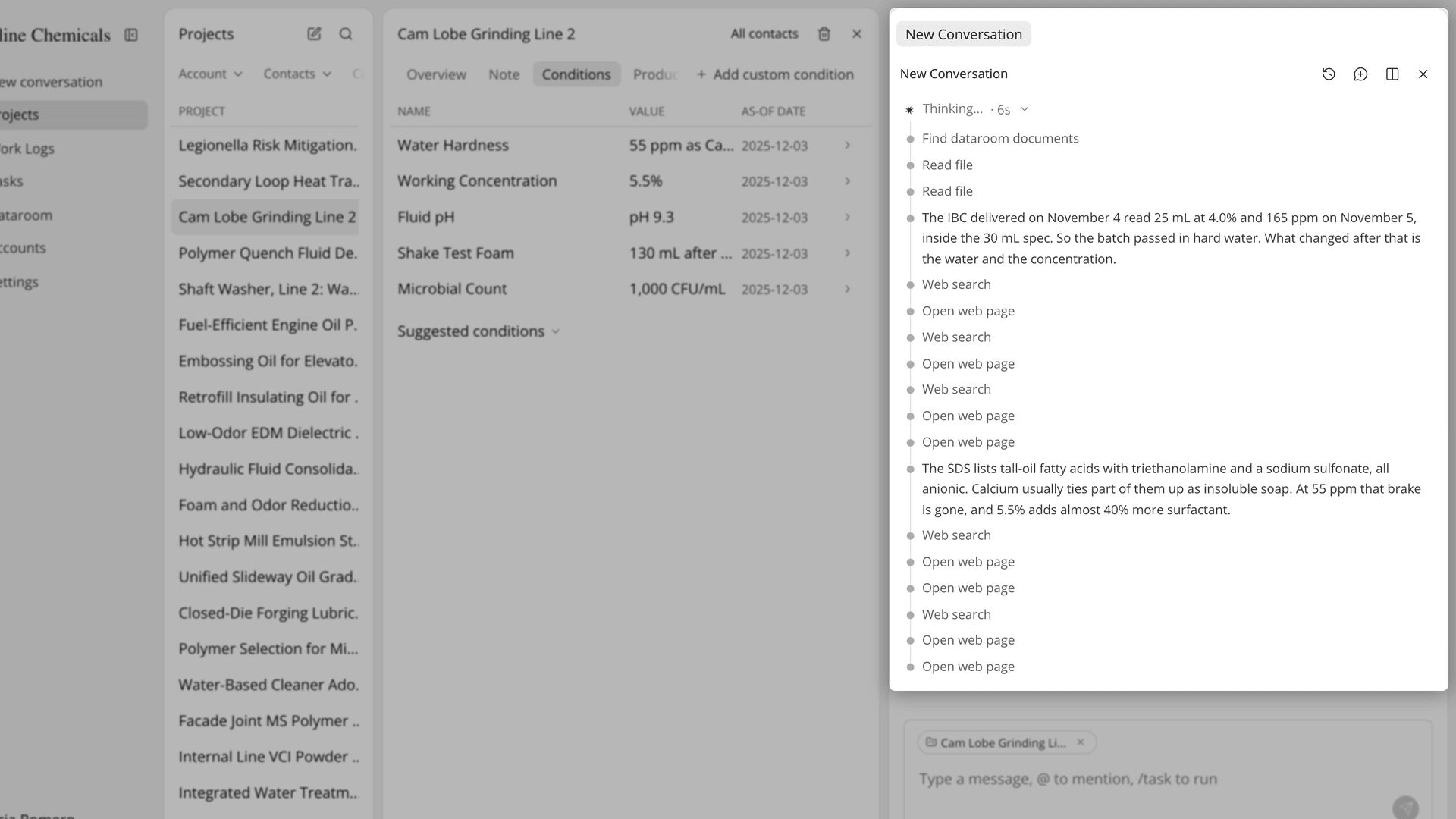
Figure 2. The trail shows which records were checked before the answer was written.
Check the sources. Point at a numbered source to open its card, read Justification, and press the arrow to open the original. A line under the answer, such as "3 sources", lists every source for one pass.
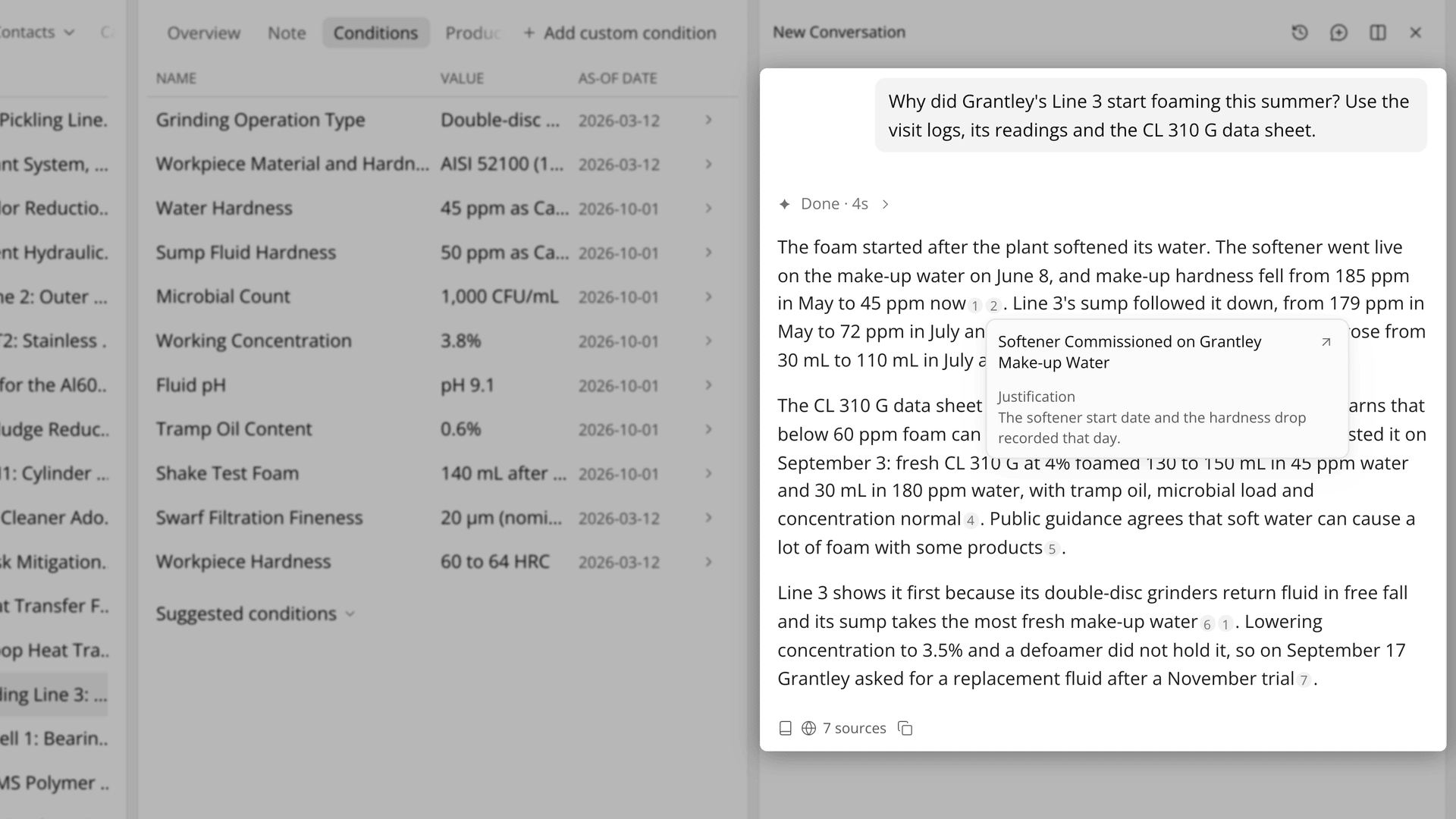
Figure 3. Each numbered source leads to a real record and the reason it was used.
Keep the outcome. Ask AI Chat to log today's call, and it writes the work log without an approval card. Bigger work, such as a product recommendation, runs as a task you approve first.
The Academy video shows a hard question answered from visits, conditions and data sheets, the record-by-record trail, a source card opened, a second conversation beside the first, and a work log made from one sentence.
How does AI Chat compare with a general AI chat for customer questions?
AI Chat starts from the records the team already keeps, where a general AI chat starts from whatever someone pastes into it. The table below sets each part of answering a customer question against the two ways of doing it:
Work | General AI chat with pasted files | AI Chat |
|---|---|---|
Point it at the customer | Paste notes and data sheets each time | The record on screen comes along as a chip, or mention it with @ |
Bring in the history | Only what was pasted | Looks up accounts, projects, work logs, tasks and Dataroom files |
See what it checked | Nothing beyond the pasted text | The Thinking line lists each lookup |
Check a claim | Search for the source by hand | Numbered source with Justification and an arrow to the original |
Tell outside sources apart | Pasted facts and general knowledge read alike | Web source cards name the site, and the sources line shows a globe or book icon |
Keep the result | Copy it into the CRM by hand | A work log created from the conversation |
Two subjects at once | Two windows, context pasted again | Open a new conversation beside, each pane on its own |
The row that matters most before a reply goes out is the check. With pasted files, the engineer has to find the passage behind a sentence alone, and a sentence from general knowledge looks just like one from the TDS. In AI Chat, a sentence that rests on a record usually carries a number, and the card says which record it is and why it was used.
Telling web sources apart matters for the same reason. An outside source on foaming after a water change may be useful, but it is not the customer's own history. A web source's card names the site it came from, and a globe icon in the sources line shows that some sources came from the web, so the engineer can see which points rest on the plant's own records.
What does AI Chat not do with your customer records?
AI Chat does not know what your team never recorded. If the last visit was never logged, or the current SDS (safety data sheet) was never uploaded to the Dataroom, AI Chat cannot read it, and the answer may lean on the web instead. A file you attach to a message is read for that question but is not added to the Dataroom.
Sources need reading, not just counting. Sentences that rest on a record or a web page usually carry a numbered source, not always, so ask where a key figure came from when it has none. The arrow opens the whole record and does not highlight the passage the answer used. A record deleted after the answer was written shows a card that says it cannot be found.
Conversations are private: other members of your organization, including admins, cannot see them. A conclusion the team needs belongs in a work log. Panes side by side do not read each other, so mention a record again in the second pane.
AI Chat cannot delete records, and one message carries up to 10 context items. The engineer still decides what the customer hears. If you already use Lubinpla, the AI Chat guide in the app covers attachments, web search and side-by-side conversations in full.